Complete Home Office Setup Guide 2025: Equipment Checklist + Budget Breakdown
 Jessica Park••16 min read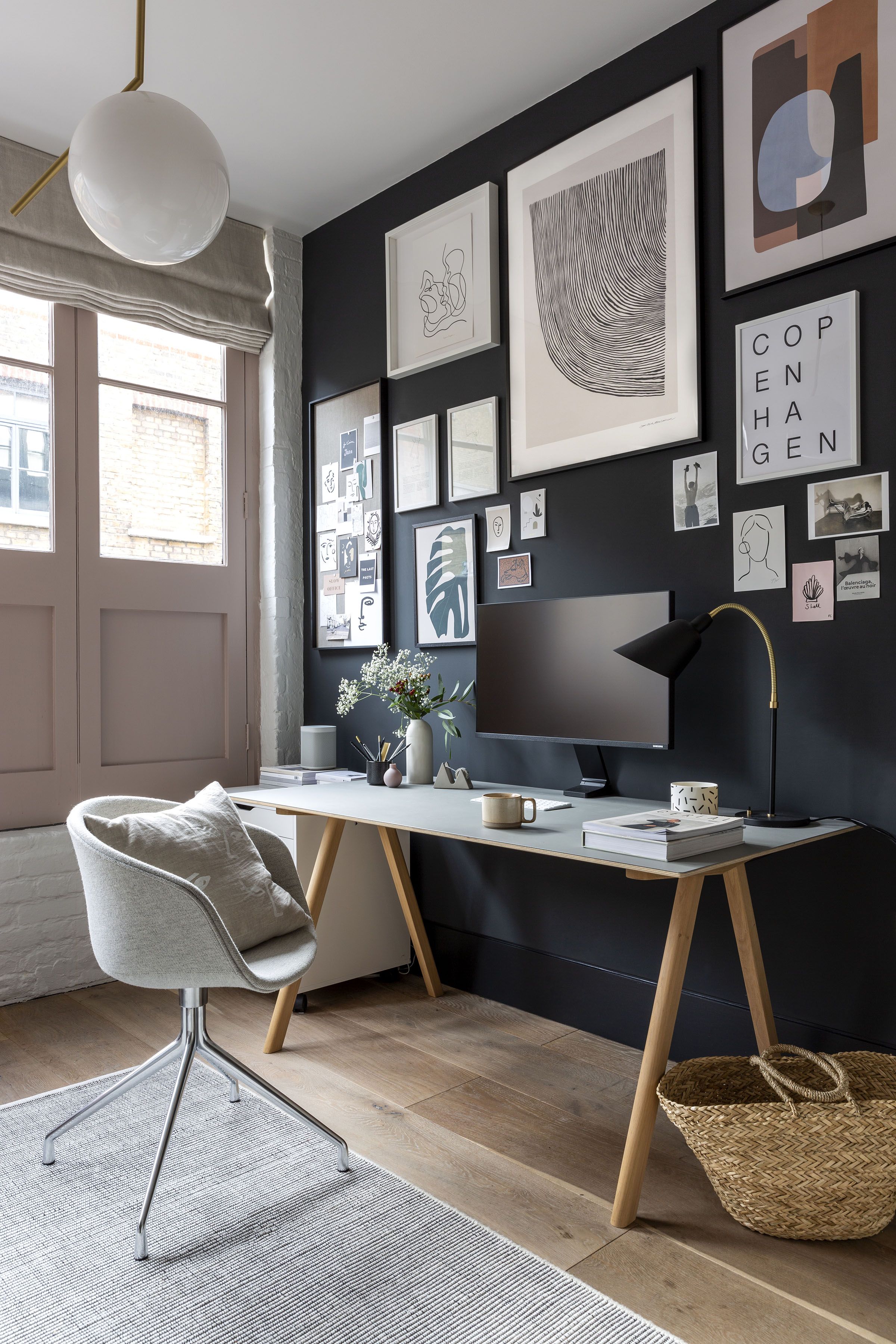
Quick Overview: Essential Home Office Equipment
| Equipment | Budget Pick | Premium Pick |
|---|---|---|
| Desk | FlexiSpot E7 - $399 | Fully Jarvis - $800+ |
| Monitor | LG 27" 4K - $299 | Dell UltraSharp - $600+ |
| Webcam | Logitech C920 - $70 | Logitech Brio 4K - $200 |
| Keyboard | Keychron K2 - $79 | Keychron Q1 - $170 |
| Mouse | Logitech MX Master 3S - $100 | Same (it's the best) |
| Chair | Branch Ergonomic - $350 | Herman Miller Aeron - $1,395 |
Why Your Home Office Setup Actually Matters
The problem: Most remote workers make the same mistake I did—working from a kitchen table with a laptop, no external monitor, and a terrible chair.
The cost: Back pain, eye strain, unprofessional video calls, and declining productivity.
The solution: Investing in the right equipment pays for itself through better health, increased productivity, and professional appearance.
Our Top Picks: Best Home Office Equipment 2025
Below are our tested and vetted recommendations. Each product card shows current pricing, key features, and why we recommend it.
Standing Desk: FlexiSpot E7 - $399-$549
Why we recommend it: Budget-friendly standing desk with premium features. 355 lbs capacity, 3 memory presets, and easy assembly. Perfect for anyone starting with a standing desk.

FlexiSpot E7 Standing Desk
- ✓Budget-friendly standing desk
- ✓355 lbs weight capacity
- ✓3 memory presets
- ✓Easy assembly
As an Amazon Associate we earn from qualifying purchases.
Monitor: LG 27" 4K UHD Monitor - $299-$399
Why we recommend it: Excellent 4K monitor at a great price. IPS display with HDR10, 99% sRGB color accuracy, and USB-C connectivity. Reduces eye strain significantly.
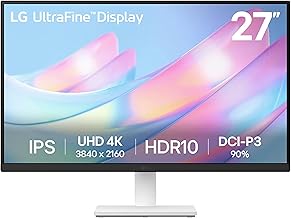
LG 27" 4K UHD Monitor
- ✓27" 4K UHD (3840x2160)
- ✓IPS display with HDR10
- ✓99% sRGB color accuracy
- ✓USB-C connectivity
As an Amazon Associate we earn from qualifying purchases.
Webcam: Logitech C920 HD Pro - $69.99-$99.99
Why we recommend it: Industry standard webcam. 1080p HD video, dual stereo microphones, and plug-and-play setup. Works flawlessly with all video call platforms.
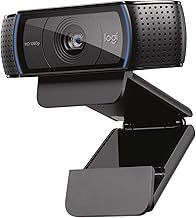
Logitech C920 HD Pro Webcam
- ✓1080p HD video quality
- ✓Dual stereo microphones
- ✓Auto light correction
- ✓Plug-and-play setup
As an Amazon Associate we earn from qualifying purchases.
Keyboard: Keychron K2 Wireless Mechanical - $79-$99
Why we recommend it: Best value mechanical keyboard. Wireless & wired modes, Mac/Windows compatible, hot-swappable switches, RGB backlight. Excellent typing experience.
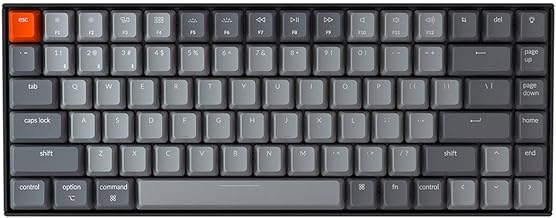
Keychron K2 Wireless Mechanical Keyboard
- ✓Wireless & wired modes
- ✓Mac and Windows compatible
- ✓Hot-swappable switches
- ✓RGB backlight
As an Amazon Associate we earn from qualifying purchases.
Mouse: Logitech MX Master 3S - $99.99-$129.99
Why we recommend it: Best productivity mouse available. 8K DPI sensor, ultra-quiet clicks, multi-device connectivity, 70-day battery life. Ergonomic design prevents wrist strain.

Logitech MX Master 3S Wireless Mouse
- ✓8K DPI sensor
- ✓Ultra-quiet clicks
- ✓Multi-device connectivity
- ✓70-day battery life
As an Amazon Associate we earn from qualifying purchases.
Chair: Herman Miller Aeron - $1,395-$1,545
Why we recommend it: Premium ergonomic chair that lasts 10+ years. PostureFit SL lumbar support, 12-year warranty, 3 size options. Best investment for long-term back health.
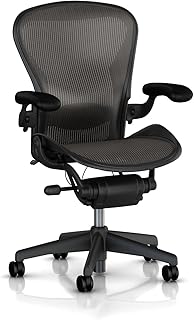
Herman Miller Aeron Chair
- ✓Premium ergonomic chair
- ✓PostureFit SL lumbar support
- ✓12-year warranty
- ✓3 size options
As an Amazon Associate we earn from qualifying purchases.
Budget Tiers: How Much Should You Spend?
This is where it gets interesting. Most home office guides don't talk about budget tiers. They just show you the fanciest equipment.
I broke down the costs into three realistic tiers based on how much you'll actually use your home office:
5 Common Home Office Mistakes (And How to Fix Them)
❌ Mistake #1: Skipping the monitor
Laptop screens are too small and too low. This causes neck pain and eye strain within weeks.
❌ Mistake #2: Buying a cheap chair
$50 Amazon chairs destroy your back. Spend $200+ minimum or you'll pay for it in medical bills.
❌ Mistake #3: Poor lighting
Dark, shadowy video calls hurt your professional image. Invest in basic LED lighting.
❌ Mistake #4: No cable management
Messy cables look unprofessional on video calls and create a tripping hazard.
❌ Mistake #5: Ignoring ergonomics
Monitor at eye level, chair adjusted properly, keyboard/mouse at elbow height. Get this wrong and you'll have chronic pain.
ROI: Is This Really Worth the Investment?
Let's do the math on a $1,500 mid-range setup:
- Eliminates back pain that could cost $2,000+ in medical bills
- Increases productivity by 10-15% (conservative estimate)
- Professional appearance on video calls can influence promotions/raises
- Equipment lasts 5-10 years with proper care
Cost per workday over 5 years: $1.20/day
You spend more on coffee. This is the easiest investment in your career and health.
Bottom Line: Start Small, Upgrade Over Time
You don't need the premium setup to be productive. But you do need the essentials:
- ✅ Good ergonomic chair
- ✅ External monitor at eye level
- ✅ Decent webcam and microphone
- ✅ Proper desk height
- ✅ Good lighting
Start with the budget tier. Upgrade as you can. Your back, your eyes, and your productivity will thank you.
Ready to put your new setup to work? Browse thousands of remote jobs and start working from your perfect home office.
Affiliate Disclosure: This guide contains affiliate links. We may earn a commission from purchases at no extra cost to you. This helps us maintain our free job board and create helpful content. Full disclosure policy.
📊 Get the Full Budget Breakdown with Clickable Product Links
I created a detailed breakdown showing exactly which products to buy for each budget tier—with direct Amazon links to save you hours of research.
No spam. Unsubscribe anytime.